A schedule that keeps running
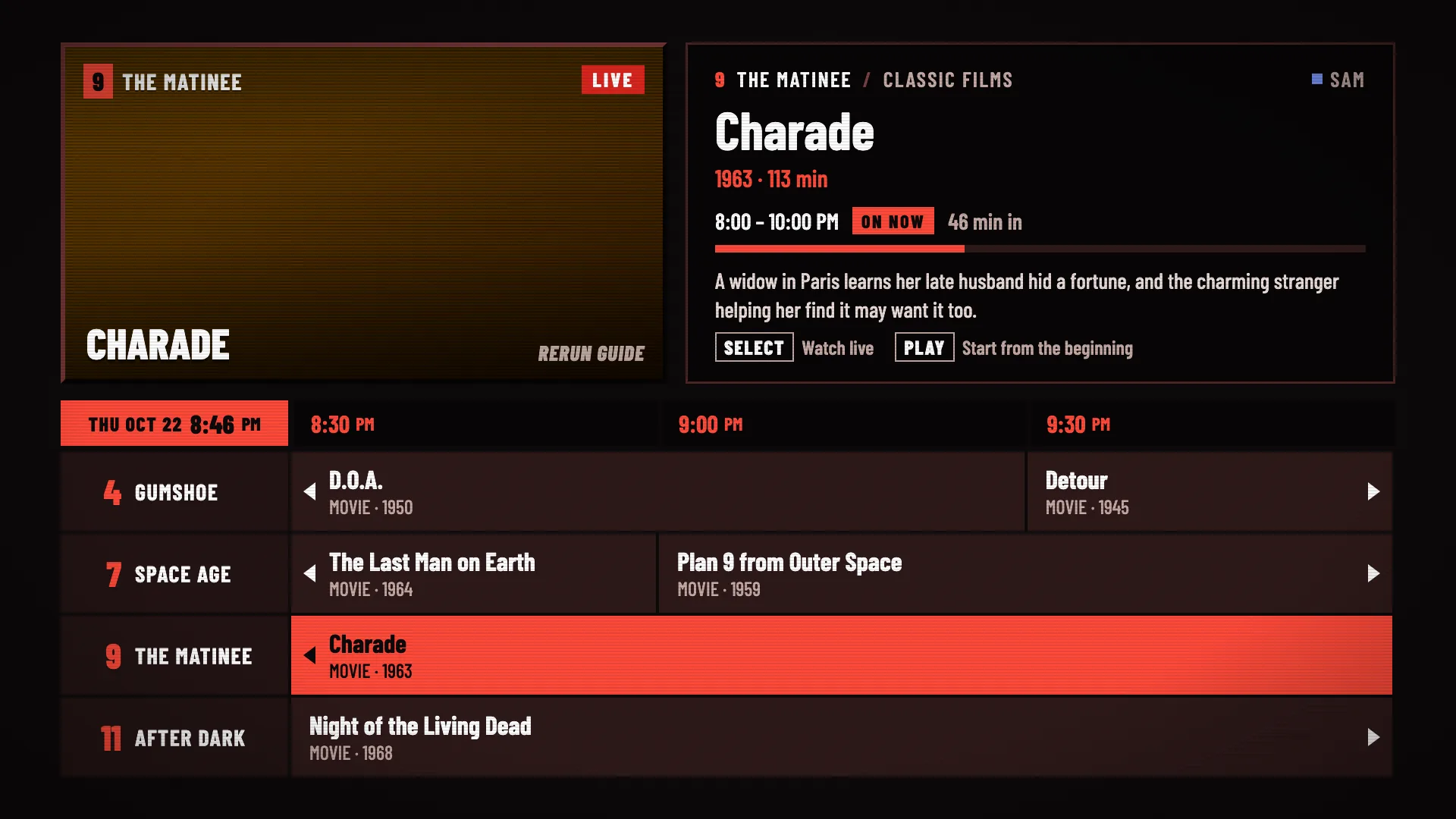
Channels play whether you’re watching or not. Open the guide and see what’s on now, what’s next, and how far in you’d be.
Rerun Guide turns your Plex, Jellyfin or Emby library into channels that run on a schedule, like TV used to. Flip around, land on something halfway through, stay for the rest.
Pick Plex, Jellyfin or Emby on your Apple TV. Plex and Emby sign in with a code you type on your phone; Jellyfin just needs your server address.
Rerun Guide reads your movies and shows and builds channels from genres, decades and series. Noir on 4, sci-fi on 7, the classics on 9.
Every channel keeps running on its schedule, so something is always on. Land on it live, or start from the beginning.
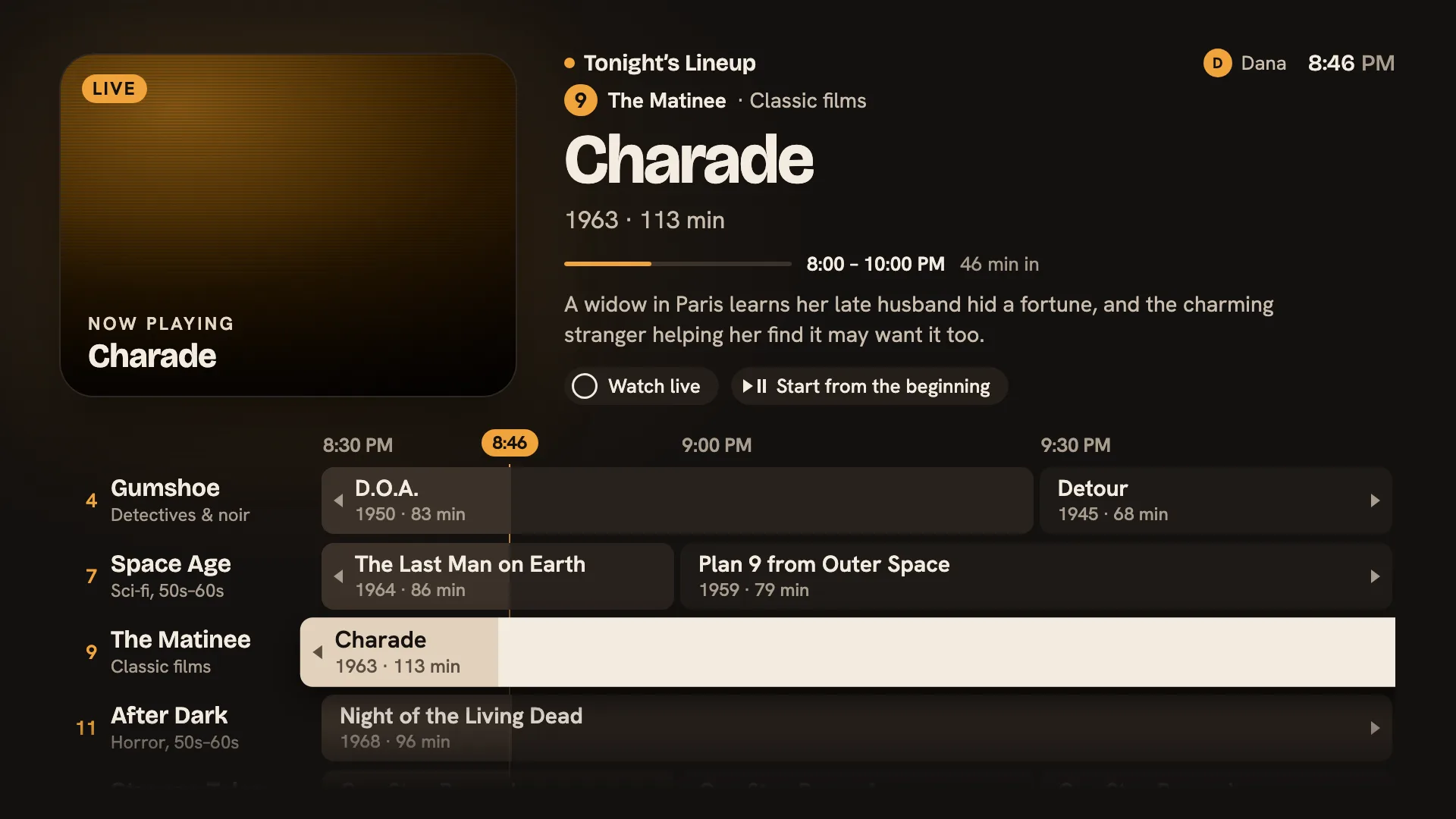
Channels play whether you’re watching or not. Open the guide and see what’s on now, what’s next, and how far in you’d be.
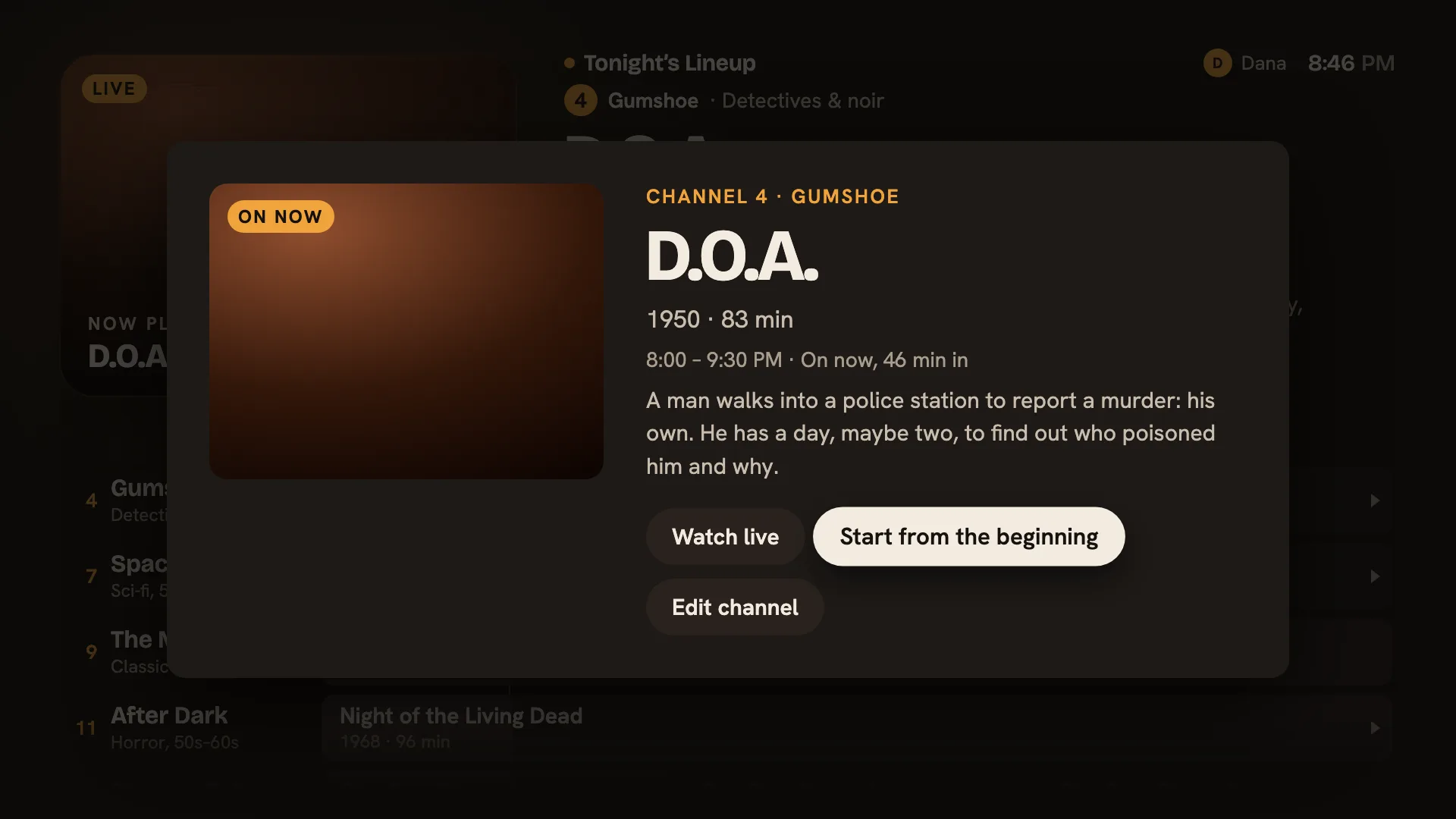
Join anything live, or start it from the beginning. It’s your library, so you never miss the opening.
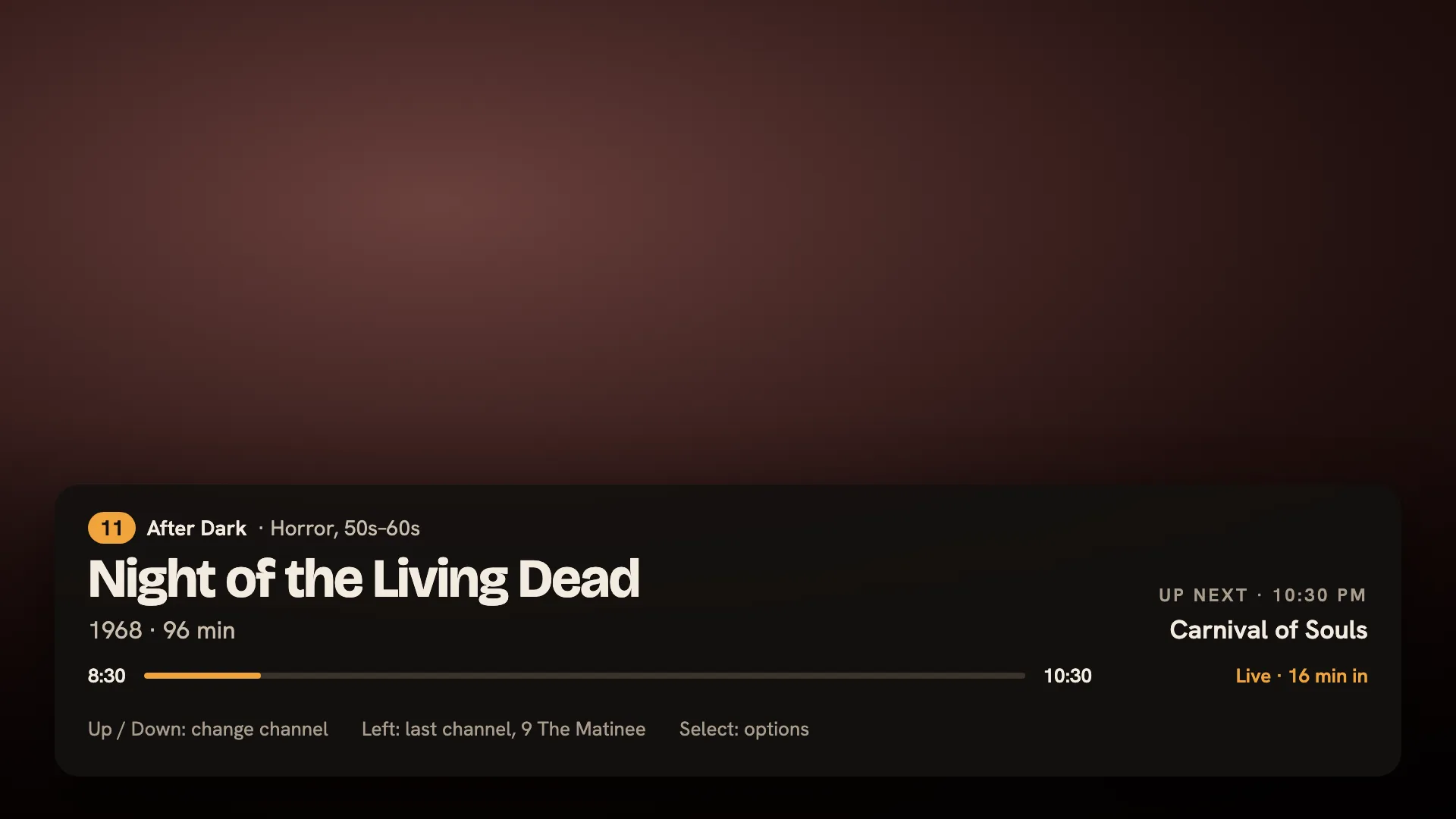
Swipe up or down to change channels while you watch. Swipe left to jump back to the last one.
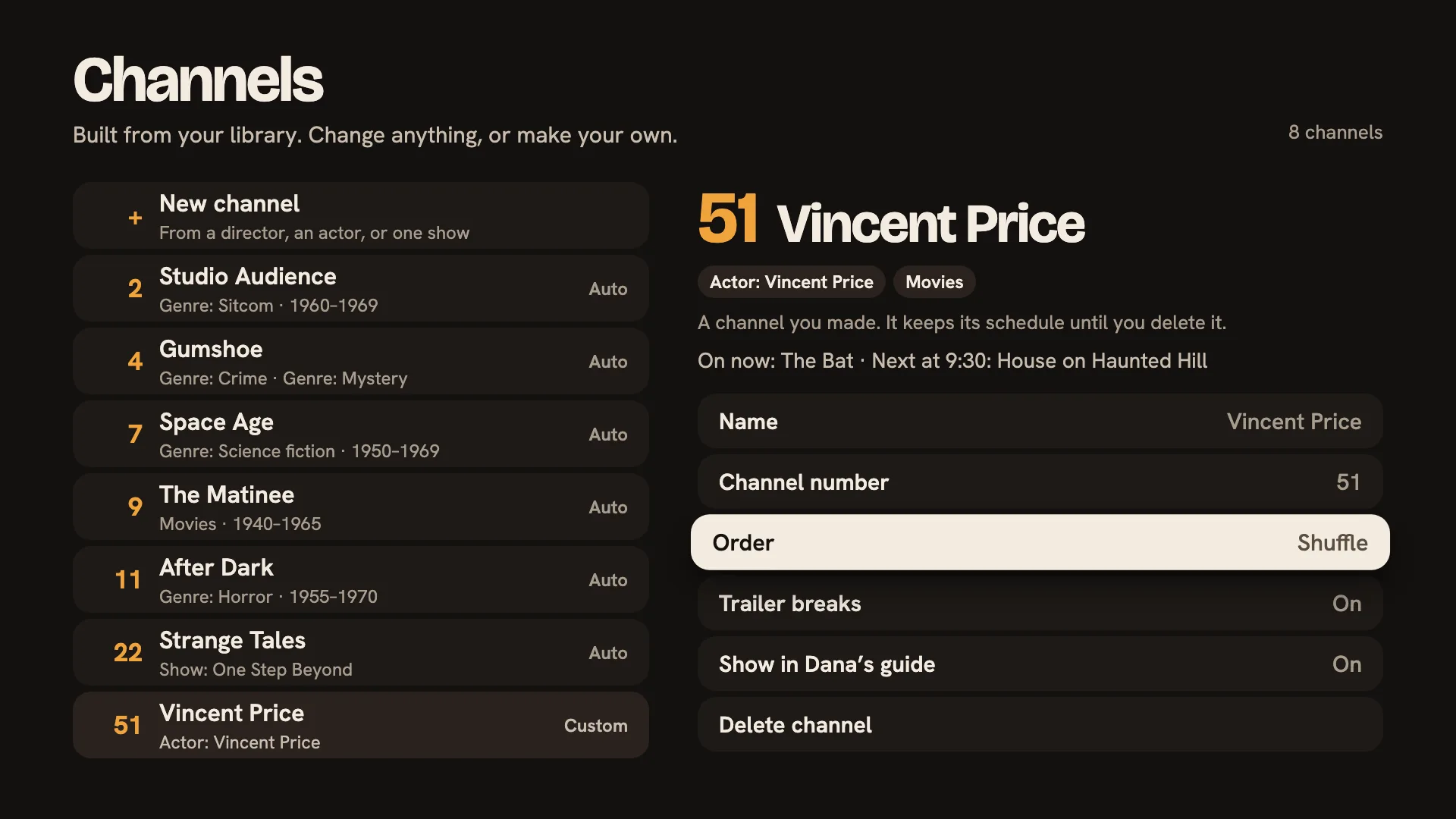
Give one actor, one director or one show a channel of its own. Pick the order, and turn trailer breaks on or off.
Switch any time from the options menu.
Sign in with a code at plex.tv/link. Your Plex Media Server libraries show up automatically.
Enter your server address and sign in with your Jellyfin account.
Sign in with a code at emby.media/pin using Emby Connect, or enter your server address and your Emby account.
Rerun Guide talks to your server straight from your Apple TV. There’s no add-on, plugin or container to set up, and your library never passes through us.
Rerun Guide is made by soyboi llc, the small independent shop behind soyboi.tech. Like the beacons app, its code is public.
Coming soon, free for Apple TV, Google TV, Android, iPhone and iPad.